// founded by International Coding Academy team
AI is the new literacy A ready-made artificial intelligence course for primary school
Taught by your teachers · launch in 3 weeks
Cartoons with the Assistant, mini-games and a teacher dashboard — in one platform.
- lessons per school year
- 28
- cross-cutting program strands
- 7
- themed modules a year
- 4
01Why now
AI reached kids before schools did
Children already use ChatGPT and take its answers on trust. School can teach them to check.
- 64% of teens use AI chatbots Pew Research, 2025
- 2× more kids do homework with ChatGPT than a year ago Pew Research, 2025
- 39% of job skills will change by 2030 WEF, 2025
-
 Since 2025
 China
AI is mandatory from grade one — at least 8 hours a year
-
 Since 2025
 UAE
AI is a subject from kindergarten to grade 12
-
 From 2026
 Uzbekistan
AI lessons announced, 2,000 classrooms being equipped
AI will reach every school. The question is whether yours will be among the first.
02Standards
Built on global standards
-
AI4K12 · Five Big Ideas
USA
The basis of our seven strands
-
CSTA AI Learning Priorities
USA · 2025
What to teach at ages 6–10
-
UNESCO AI Competency Framework
UNESCO · 2024
From “understand” to “create”
-
OECD / EC AILit
OECD · EU
Engage → Manage → Create
-
UNESCO GenAI Guidance
UNESCO · 2023
Age limits for generative AI
-
Law “On Personal Data”
Uzbekistan
Parental consent, data kept in-country
The program builds on international AI literacy frameworks and child development research.
03Product
Not a coding course. We teach kids to understand AI
-
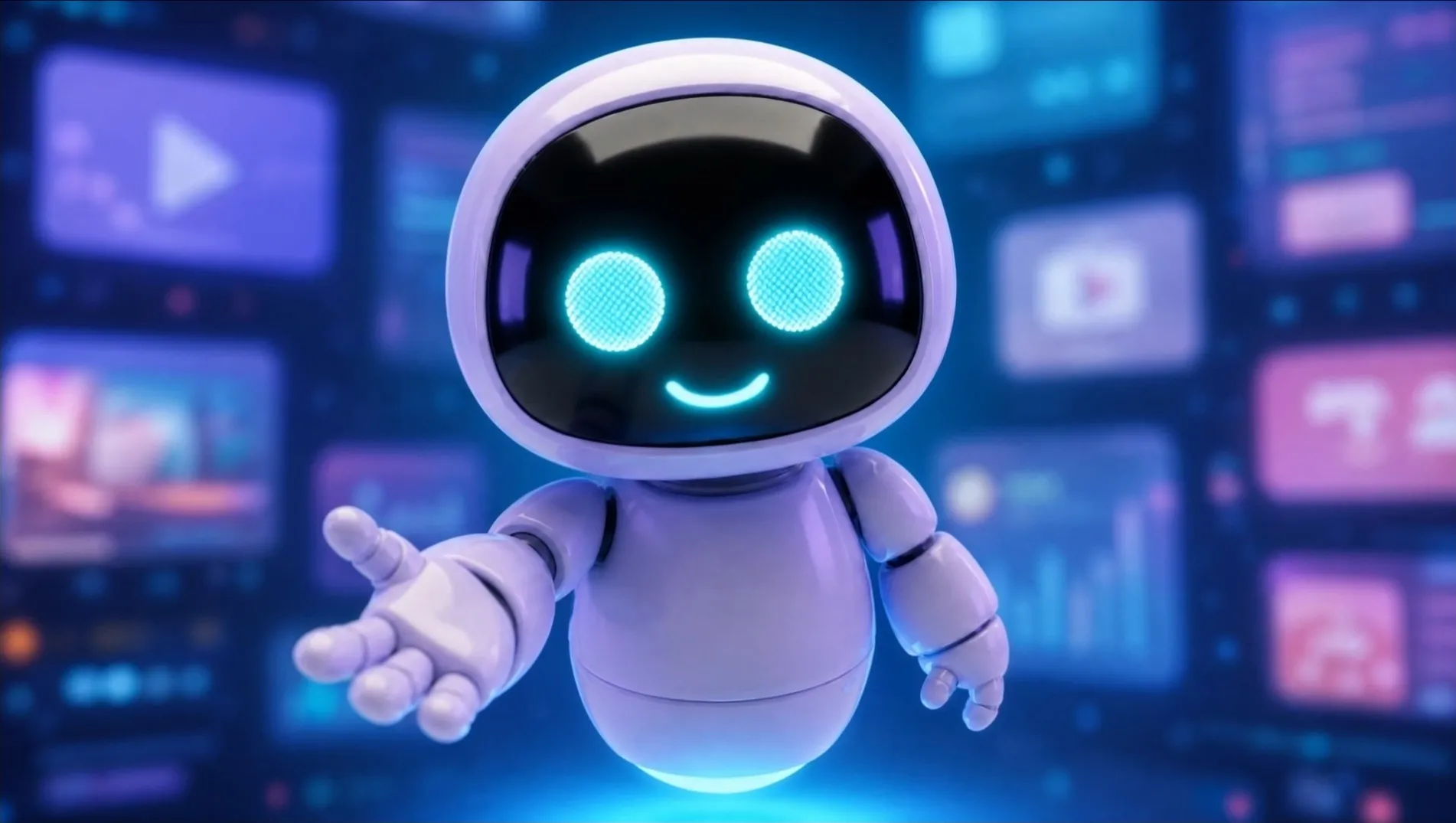
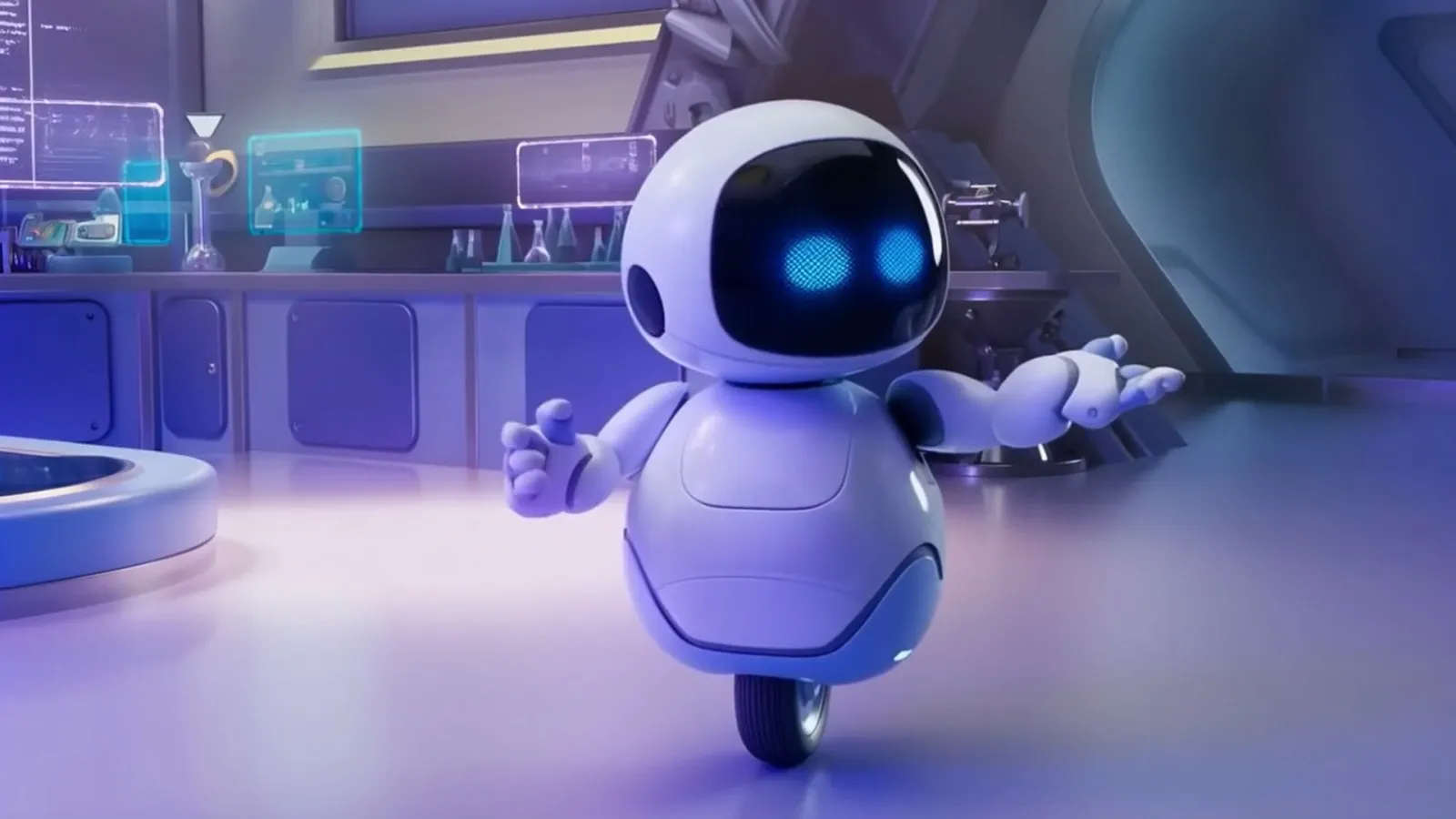
Cartoons with the Assistant
- 3–6 minutes
- Story
-
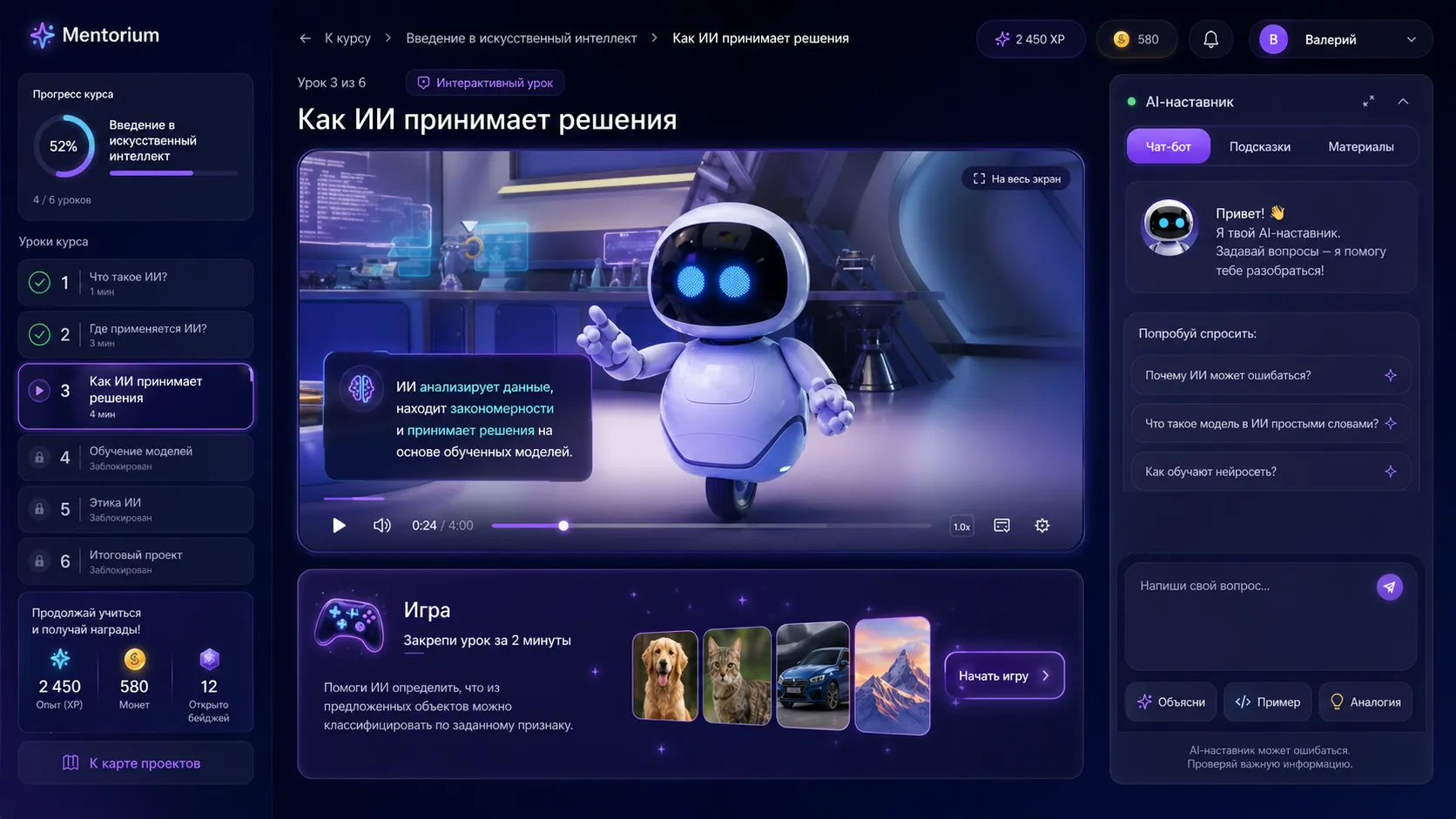
The lesson on the platform
- Video
- Game
- Mentor
-
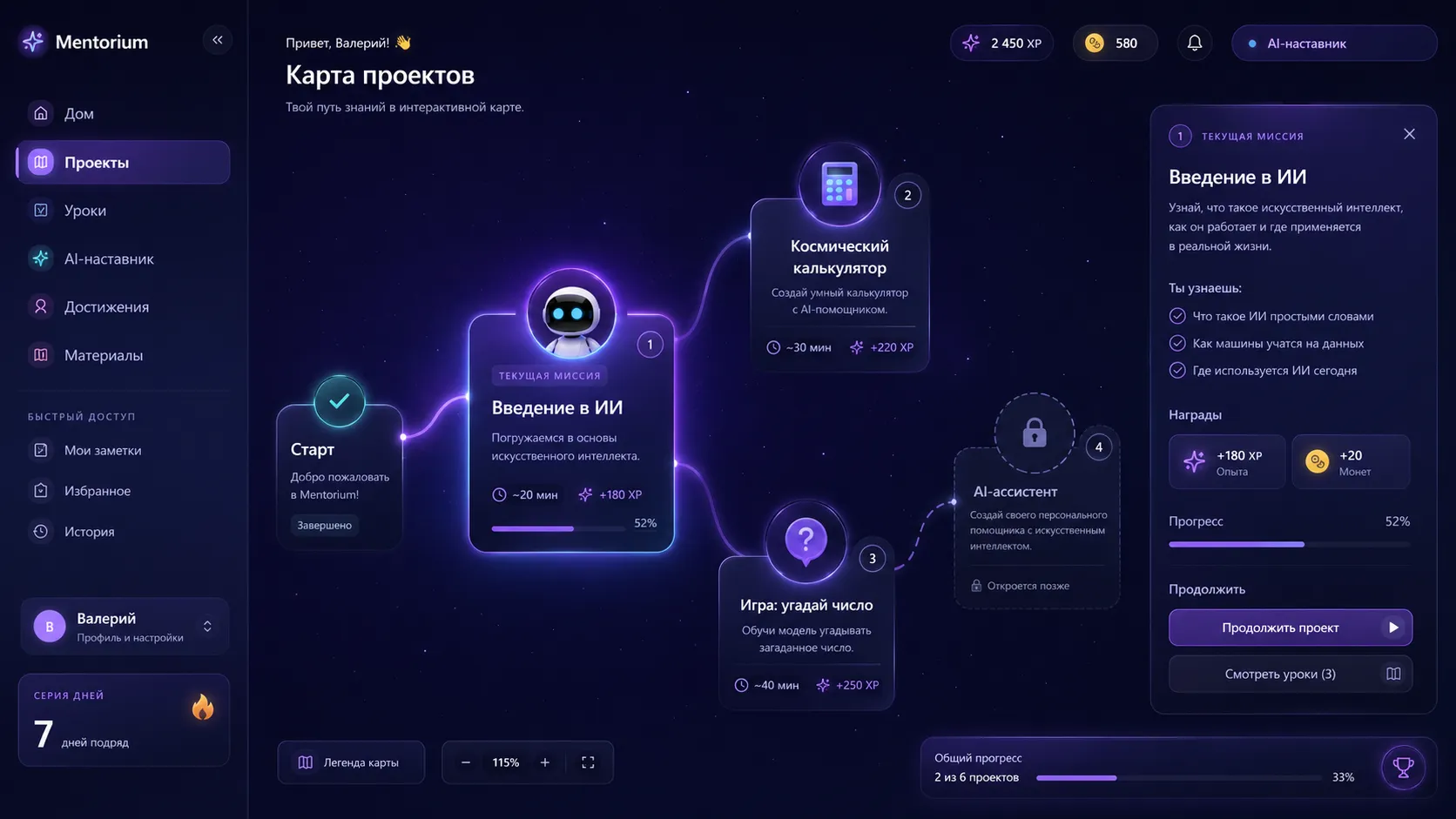
A project map for the year
- Year project
-
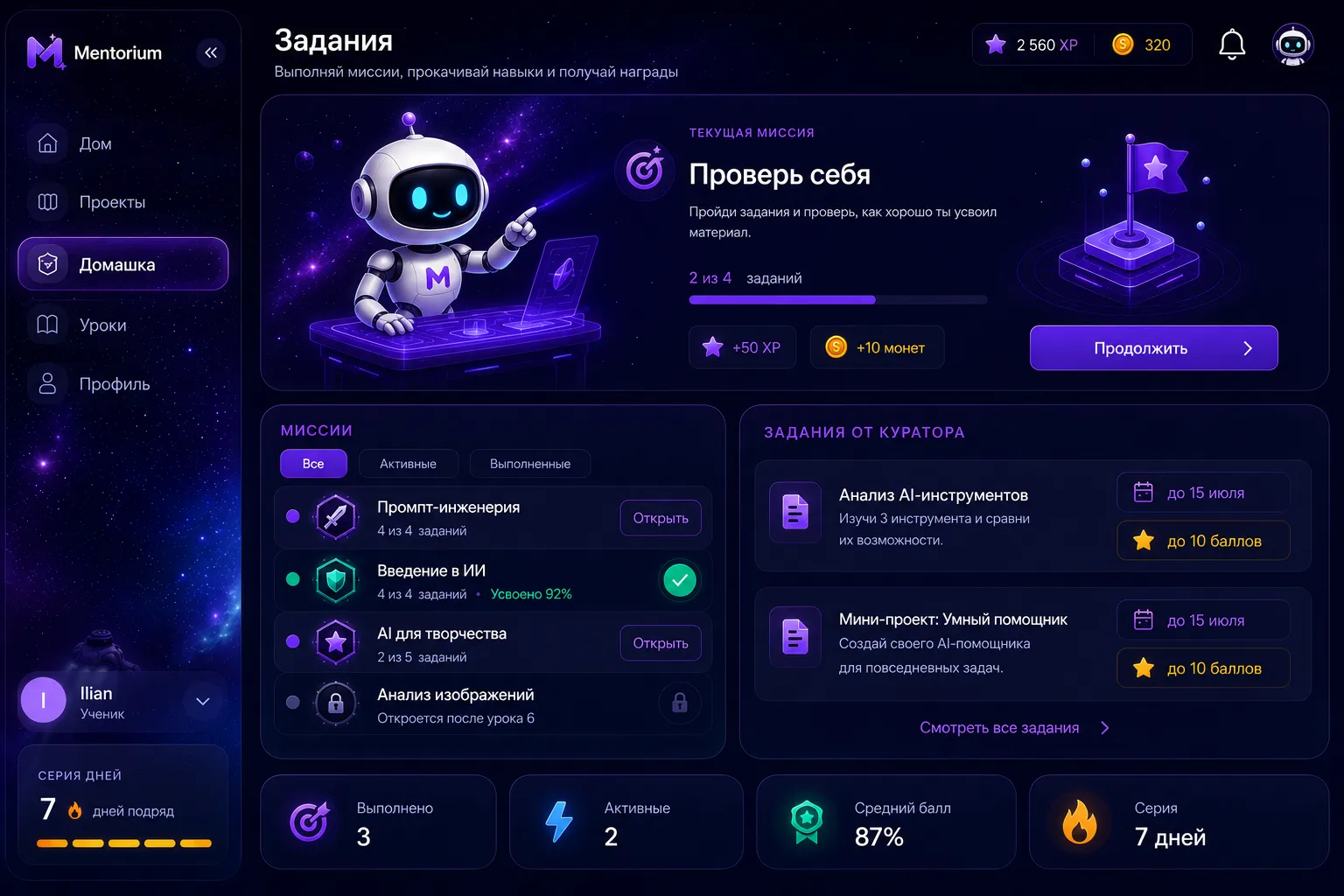
Mini-games and homework
- Auto-checked
-
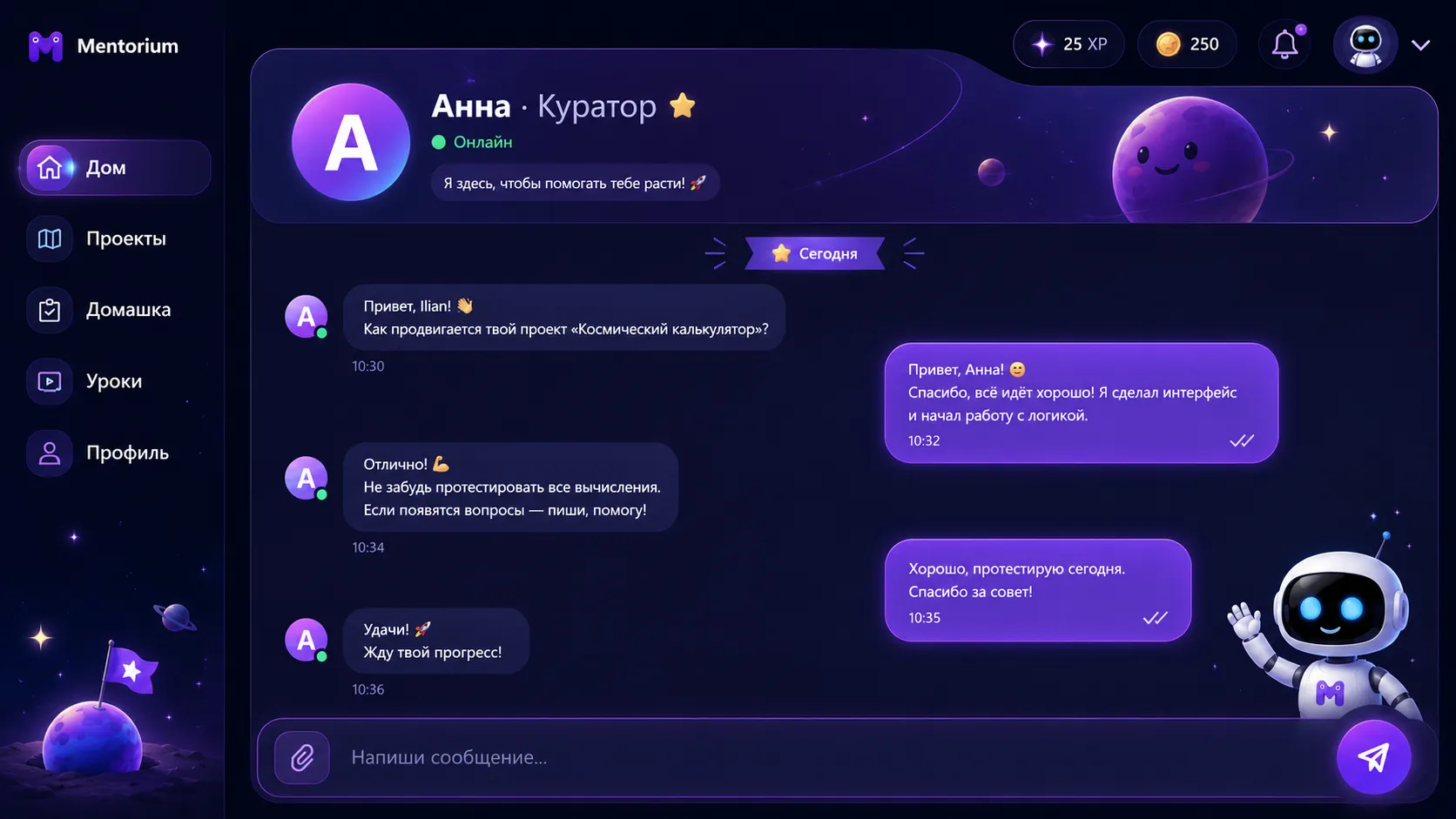
An AI mentor that stays on topic
- Moderated
- Logs for the teacher
04Lesson · 45 minutes
One lesson — three steps
The teacher opens each stage; the next one becomes available once the class is ready.
 Lesson video coming soon
 -
Video
A short cartoon: the Assistant pauses and asks the class questions
-
Game
Three mini-games: the child trains AI and finds its mistakes
-
Homework
A task on the platform; the teacher gets a report on every student
05Programme
4 years — 4 roles for the child
Seven strands run through every year and rise a level each time. No grade repeats the one before.
- 1
Observer
Spots AI around them and knows it makes mistakes
Year project Build your robot - 2
Trainer
Teaches a computer with their own examples
Year project The robot goes to work - 3
Checker
Tests real AI and finds its mistakes
Year project My AI's passport - 4
Creator
Creates with AI and owns the result
Year project An AI project and pitch
One robot grows with the child across all four years. We'll show the full programme in person.
06Parents
What your child brings home
Parents see concrete learning outcomes — a strong argument for the school on open day.

After the course, a child can
- Tell AI apart from an ordinary program
- Check a chatbot's answer and find the mistake
- Train a simple model on their own examples
- Create a project with AI and present it
-
Year project
Their own robot that grows with the child across all four years
-
Portfolio page
A link and PDF for parents: what they learned, what they made, where they shine
-
Pitch and certificate
At the end of the year the child presents their project to the class and parents
07Teachers
The teacher leads — the Assistant helps
-
A ready lesson plan
The full guide is right inside the interface
-
Class progress on screen
Who is at which stage and who needs help — in real time
-
A review after class
Each student's mistakes and recommendations for the next lesson
-
No technical training needed
2 hours of preparation, a methodologist on call for the whole first term
67%
of EdTech licences bought by schools go unused: teachers weren't prepared.
— UNESCO
08Launch
How we launch in 3 weeks
- 1 Week 1
Demo lesson
We teach a lesson to your students and show the platform
- 2 Week 2
Teacher training
Two hours of online training and access to teaching materials
- 3 Week 3
First lesson
Your teacher leads the lesson, the methodologist is on call
- 4 After a month
Pilot results
A class report and a decision on rolling out to the whole grade
What the school needs
- Projector or TV
- A tablet or PC per student
- Internet
- 1 lesson a week
09What the school gets
Results you can see
-
An edge in admissions
A standout subject for open days
-
Results for parents
A project, a presentation, a certificate and the student's portfolio
-
No hiring
Your own teacher leads the course — no specialist needed
-
Ready for 2027
When AI becomes the standard, you'll already have experience
10Safety
Safe by default
-
Simulations in grades 1–2
Real models only from grade 3 and under a teacher
-
The Assistant stays on topic
Answers only within the lesson and always says it's a program
-
Moderation
Concerning messages go straight to the teacher
-
No biometrics
We never record a child's face or voice
-
Data by Uzbek law
Parental consent, role-based access, audit logs
-
No leaderboards
We motivate with progress, not competition
11FAQ
Questions
What age is the programme for?
Grades 1–4, children aged 6–10. Each grade has its own role for the child and its own year project.
Who teaches the lessons?
Your own teacher — no technical training required. Preparation takes about 2 hours, online training is included, and a methodologist is on call for the whole first term. If you don't have a free teacher, we can provide ours.
What does the school need?
A projector or TV, a tablet or computer for each student, internet access and one lesson a week in the timetable.
How many lessons are there per year?
28 lessons of 45 minutes: four modules of six lessons and a four-lesson final project. One lesson a week.
Is it safe for children to use AI?
In grades 1–2 children only work with simulations. From grade 3 they use real models through Mentorium's secure server and only under a teacher. We collect no biometrics and process data under Uzbekistan's Law “On Personal Data”.
What language are the lessons in?
Currently Russian. Uzbek and English versions are in progress — video voice-over can be translated into any language.
Who is behind Mentorium?
A team that spent three years building children's EdTech in Uzbekistan, Kazakhstan and Russia and taught more than 5,000 children. Mentorium was selected for the Alchemist accelerator, received investment from SQB Venture, and the platform is registered with Uzbekistan's Ministry of Justice (No. DGU 68340).
How much does it cost?
The demo lesson is free. The course price depends on the number of classes and the rollout format — after the demo we'll prepare a commercial proposal for your school.
How fast can we launch?
About three weeks: demo lesson, teacher training, first lesson. Pilot results after a month.
Start with a demo lesson
We'll show an AI lesson at your school
We'll run a free demo lesson with your students — you'll see the platform and the class's reaction first-hand.
We'll contact you on WhatsApp or Telegram to agree on a convenient time.